
Connecting payment with Authorize.net
To accept payments via Authorize in pickAtime, follow the steps below.
Instructions for Setting Up Authorize:
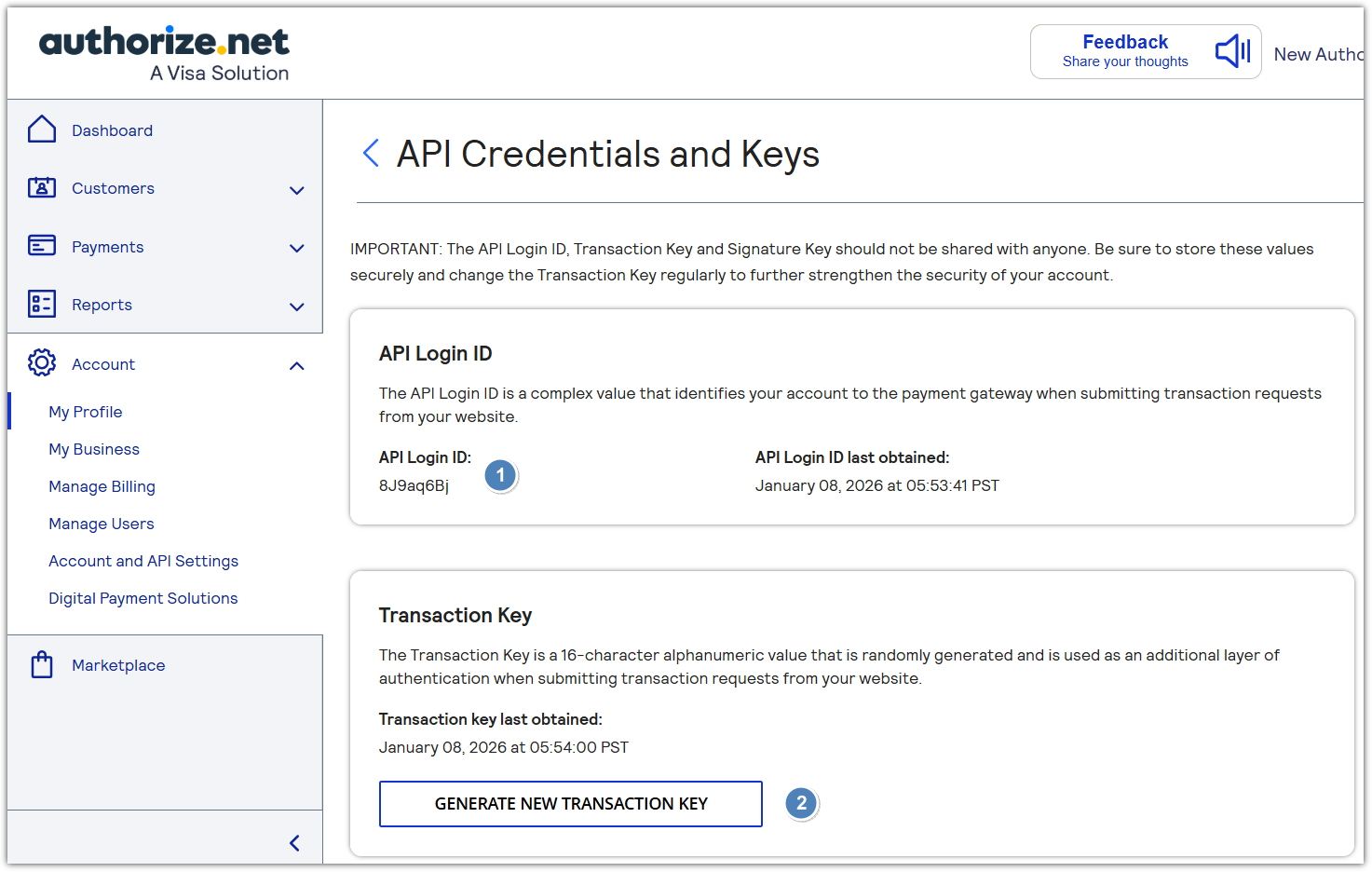
NOTE that if you already have a Transaction Key, you can use it.
- Copy API Login ID and Transaction Key.
- Configure pickAtime:
- In pickAtime, go to Admin UI / Event Management / Settings / Credit Card Setup.
- From the dropdown menu, select Authorize.net.
- Paste the API Login ID and Transaction Key into the corresponding fields.
- Click the "Check Credentials" button.
- If successful, your Authorize integration is now active.
You are now ready to begin accepting payments via Authorize through your pickAtime scheduling system.