
Sending Custom Emails
The Appointments List page — not the main Appointments page — lets you search for and manage appointments by:
- A single date
- A date range
- An event
This returns a list of parents with appointments matching your search, along with options to email, delete, confirm, or recreate slots and appointments.
Sending Emails from the Appointments List
- Click Send Email at the top of the page.
- Choose Send to All or Send to Selected.
- In the dialog that appears, choose an email type:
- Reminder email
- Custom email
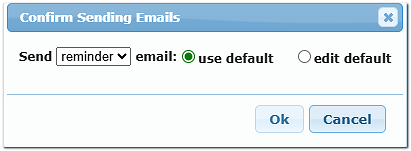
You can send using the existing template as-is, or customize it for this send.
Email templates are managed under Settings/ Notification Setup.