
Adding Students to a Normal Event
Adding Students to a Normal Event
Q: We wouldWe'd like our Normal event to include the option of allowinglet parents to attach their students. Can we import a student list of students into pickAtime?
a:Yes. IfFollow youthese would likesteps to establishset participant-studentup relationshipsstudent-participant relationships, similar to thosea used in your regularstandard PTA events,event:
Step recommend1: updatingImport Your Data
Once
Step 2: Enable the studentsStudent haveSelection beenSetting
Go enableto the Settings / UI Setup page / Scheduler Settings / Miscellaneous, and enable: "Require participants to select their student name from a drop-down when booking an appointment"appointment." setting in your event configuration.

What This Changes for Participants
ThisOnce helps streamlineenabled, the schedulingbooking processflow andwill ensureswork alllike appointmentsa arestandard associatedPTA withevent:
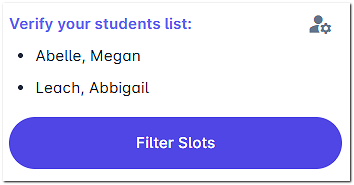
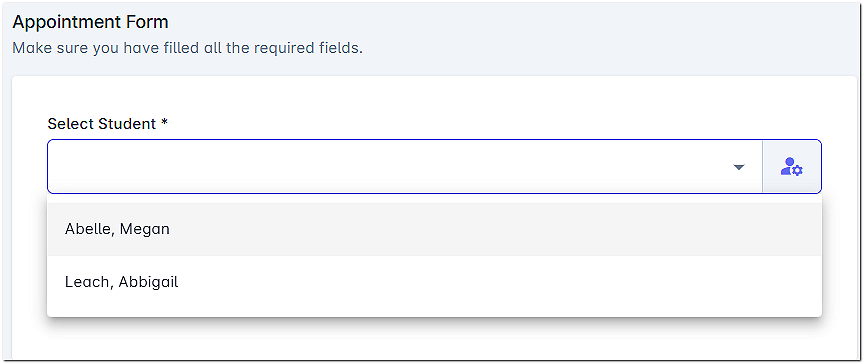
Theensures selected student will then appear inevery appointment reportsis andcorrectly throughout the Admin UI, making it easiertied to track and manage appointments bya student.