
Event Display Options
How to Access
In the Admin UI tool, open the event, go to the Settings / UI Setup / Scheduler Settings, Scheduler Display section.
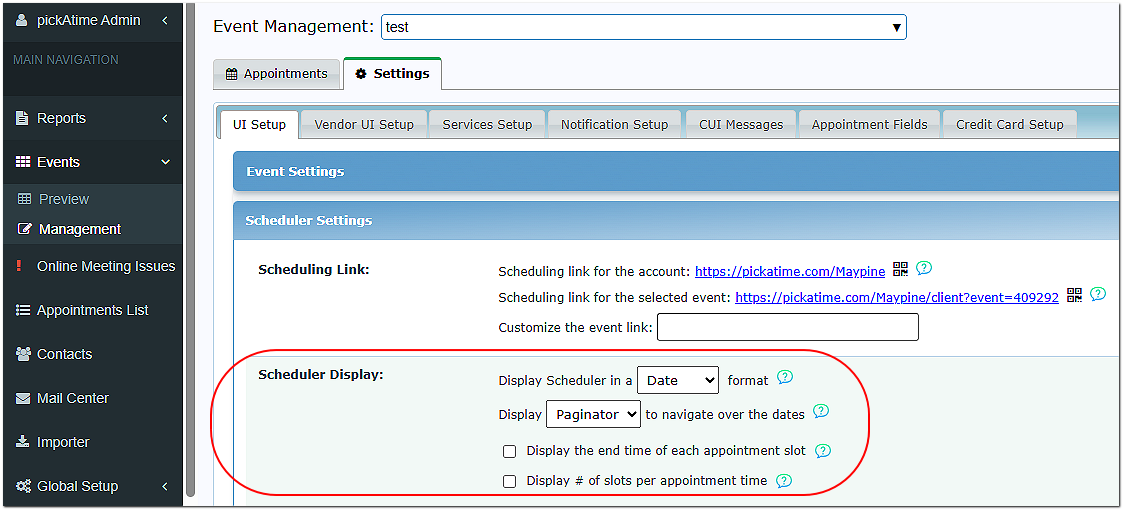
Formatting Options
You have five formatting options to choose from:
- Table * This is the only option for PTA events.
- Text
- List
- Vertical
- Date
Table - willThe displayTable informationFormat infeatures abrighter tablecolors for eventsstronger thatvisual arecontrast generallywhen setcomparing upresources. This is the standard template used for schoolParent-Teacher conferencesConferences.
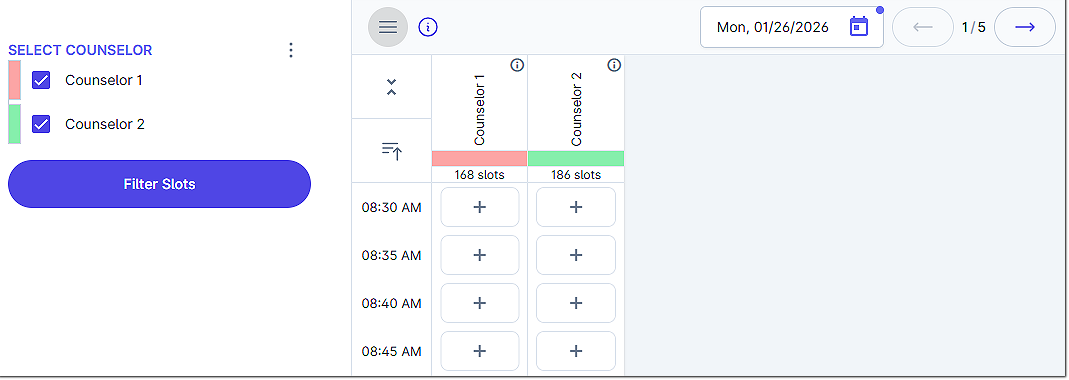
Text - willThe displayText Format is similar in structure to the appointmentDate slotsTemplate bybut date.displays only one resource at a time. It offers a simplified viewing experience while maintaining a familiar layout.
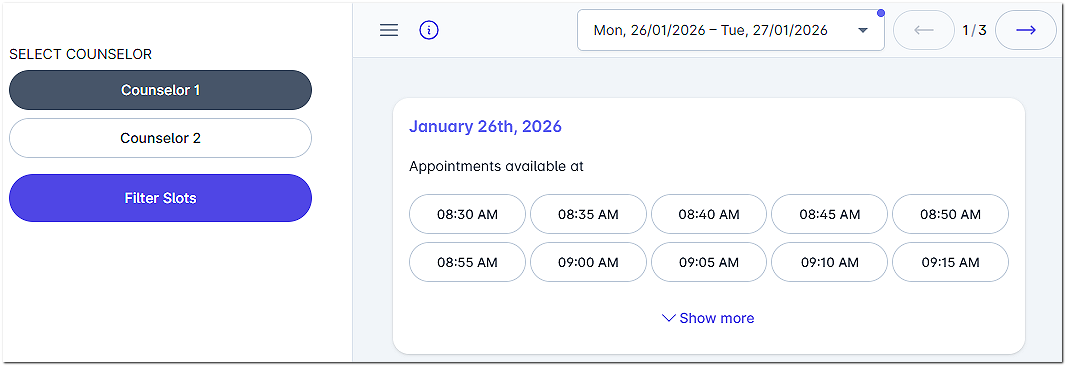
List - showsThe theList resourcesFormat onpresents the left side, and theavailable appointment slots are showntimes in a simple list byformat. appointmentThis timeoption works well for eachevents day.where resources are hidden or when a minimal display is preferred.
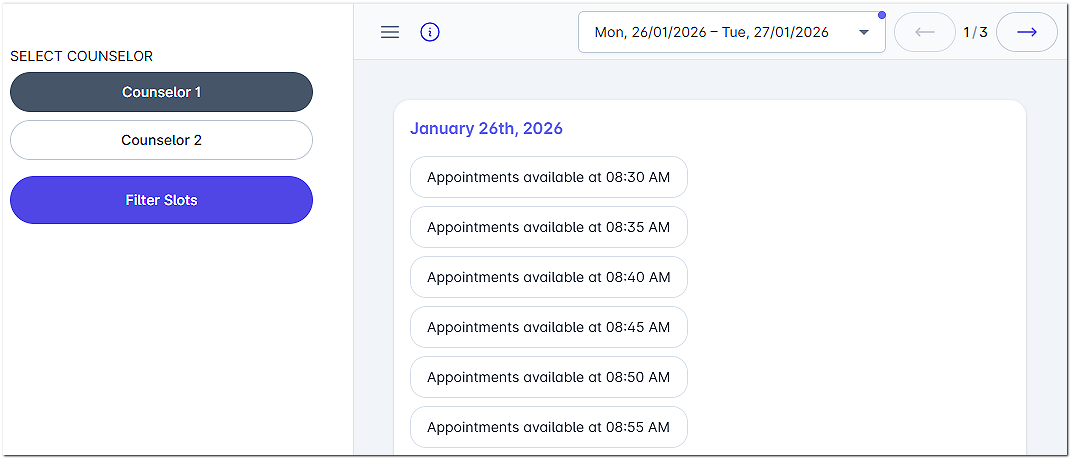
Vertical - showsThe theVertical resourcesFormat ondisplays theone leftresource side,at anda thetime in a clean, streamlined layout. Available appointment slots are shownpresented in aan list(s)attractive byand appointmenteasy-to-read format. This template works especially well for eachcounselors, day.room checkout scheduling, and wellness appointments.
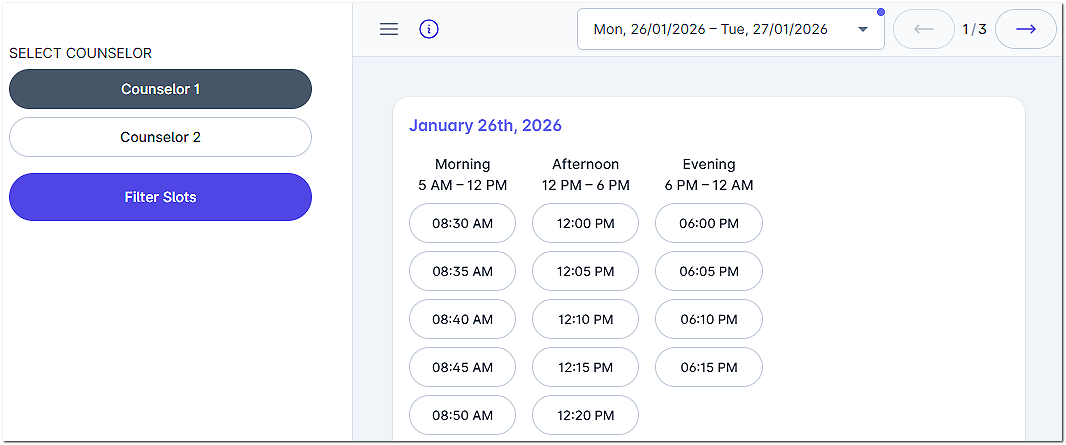
Date- displaysThe Date Format is a versatile and visually appealing scheduling option. All the slotsinformation byneeded dateto select an appointment is displayed on a single page, allowing users to easily and quickly compare multiple resources without needing to filter through available slots. Common uses include office hour events, after-school scheduling, wellness appointments, special events, and more.
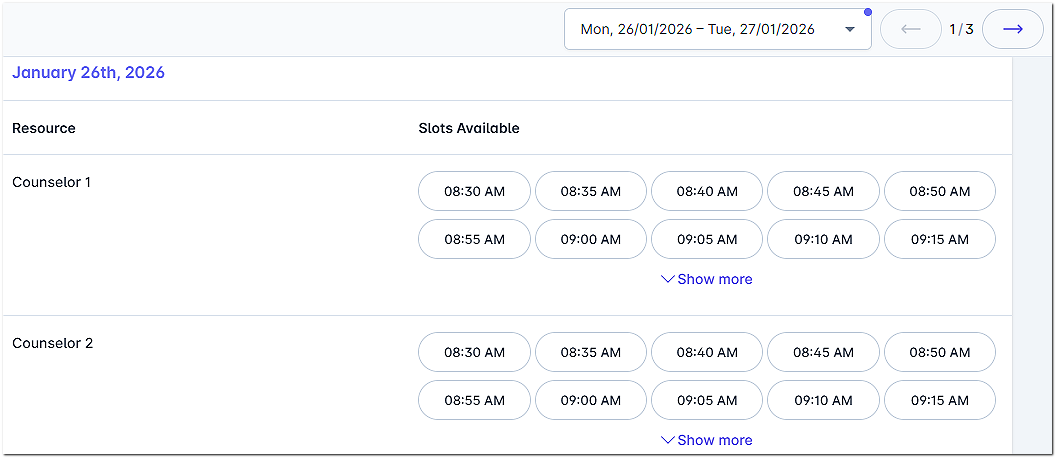
Paginator vs Calendar
In addition to the display options, you can also choose between the Calendar and Paginator.
The Calendar will display a day at a time, with the option to toggle between bates or to use a drop-down calendar.
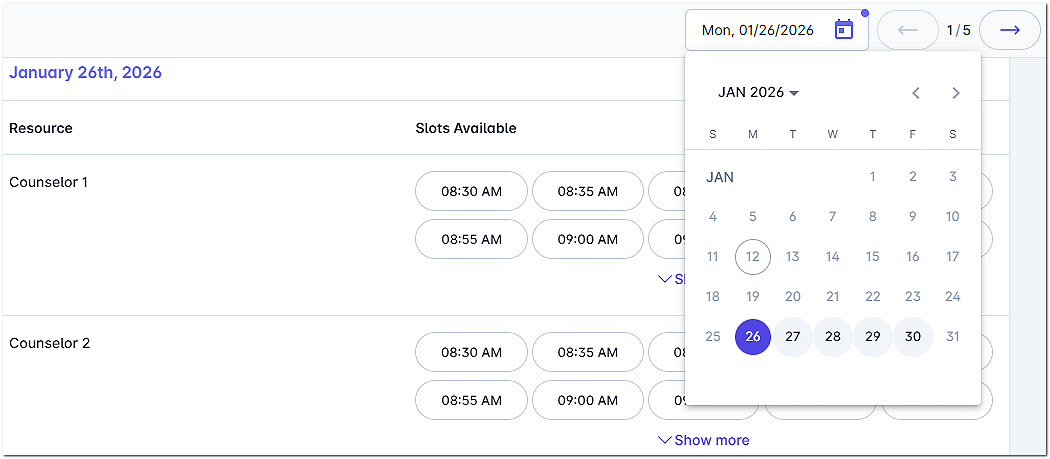
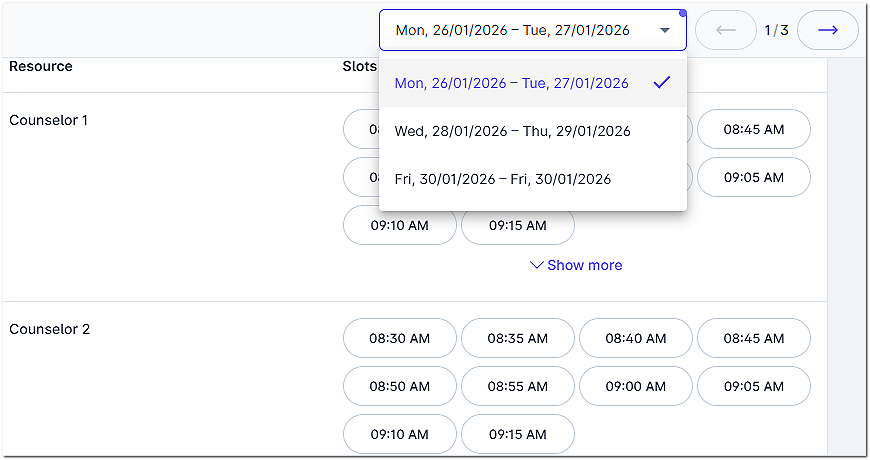
The Paginator can cover multiple days at a time, allows you to toggle between dates, and has a drop-down.
Additional Features
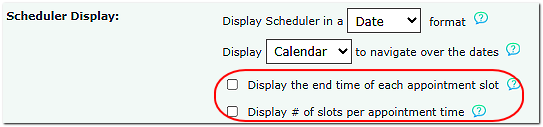
Display the end time of each appointment slot displays the end time of the appointment.
Display # of slots per appointment time shows the number of available slots for the appointment time.